
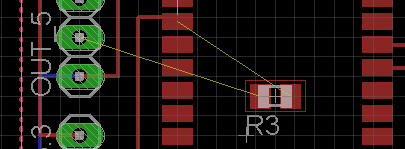
Eagle, by default, puts all the components on the PCB’s top layer, usually displayed with red color:
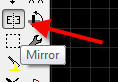
Choose the Mirror tool:
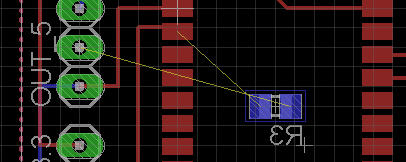
and click on your component: Eagle will move it on the bottom layer, displayed with the blu color:

Eagle, by default, puts all the components on the PCB’s top layer, usually displayed with red color:
Choose the Mirror tool:
and click on your component: Eagle will move it on the bottom layer, displayed with the blu color:
Comments are closed.


… or just click the Middle Mouse Button
This seems to only work for smd’s. Can’t swap radial capacitor 🙁
Ah, yes you can move anything to the bottom.
Just move the traces by right mouse>properties on a trace and choose the layer to move it to. 🙂